
How we generate real-time synthetic LiDAR for simulation and production datasets
Real-time synthetic LiDAR aligned to RGB and labels (stencil IDs), with GPU-resident reconstruction from render passes for dataset-scale throughput and closed-loop simulation.
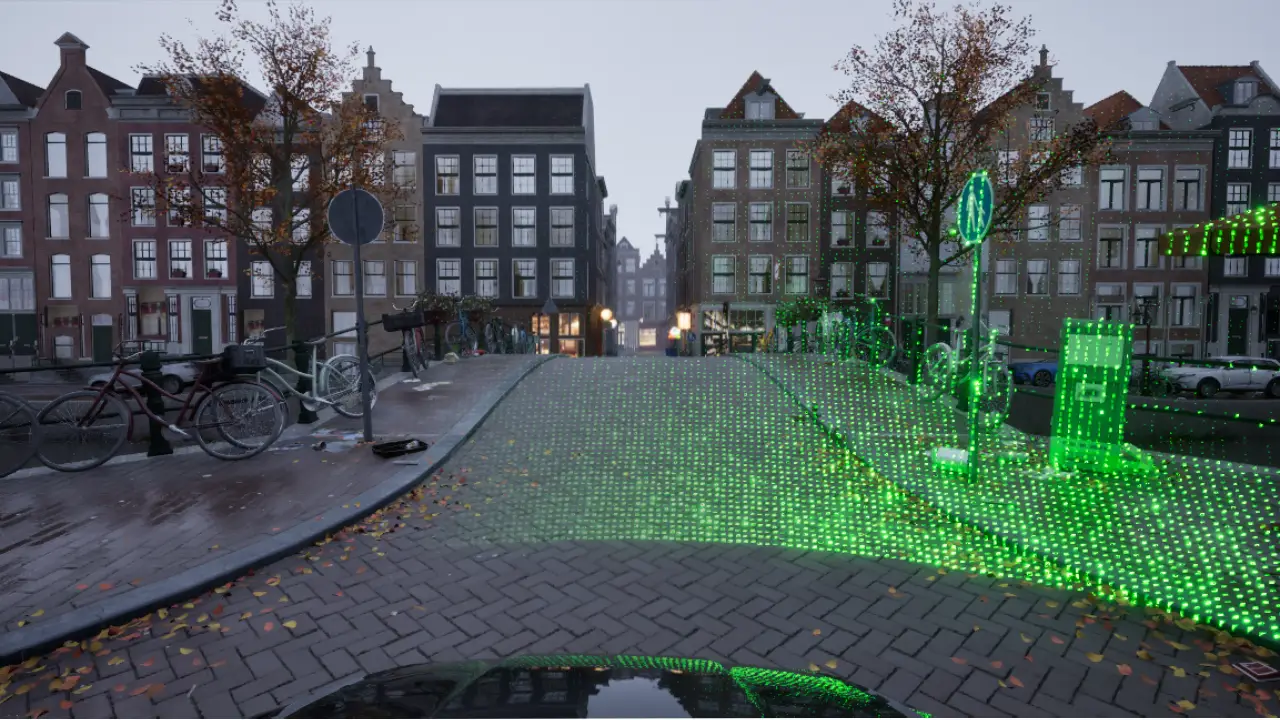
How we generate synthetic LiDAR data
SiRLab targets real-time simulation and dataset-scale LiDAR generation, where throughput and alignment dominate. We design for faster-than-real-time headroom to accommodate closed-loop tasks such as control, inference, and hardware-in-the-loop (HIL). RGB images, labels (stencil IDs), and LiDAR returns are derived from the same frame, so alignment is inherent rather than enforced post hoc.
LiDAR reconstruction is a data-parallel geometry workload: each beam is independent and the computation repeats across beams. GPU compute (compute shaders or CUDA kernels) maps one beam per thread, uses on-chip shared memory for scan lookups, and relies on texture units where UV and label (stencil ID) lookups use point sampling and depth uses bilinear sampling.
CPU collision raycasting (Unreal collision/physics raycasts) has a different bottleneck profile. Even with strong acceleration structures (BVH or similar), cost rises with triangle count at high frame rates. Hybrid CPU-GPU-CPU paths add transfer and synchronization overhead that often dominates at dataset scale.
For that reason, we keep the full LiDAR pipeline on the GPU and read back only finalized results. Depth capture, sampling, reconstruction, filtering, labeling (stencil IDs), and noise remain in GPU memory. Readback occurs only after compute completion, followed by a memcpy into shared memory for any client to consume. The objective is deterministic, realistic, render-truth LiDAR with stable throughput for production datasets and real-time simulation.
Design goals for dataset-scale LiDAR and real-time simulation
- Throughput beyond real-time under a fixed timestep
- Headroom for closed-loop simulation workloads (control, inference, HIL)
- Alignment by construction (RGB, labels (stencil IDs), LiDAR from the same frame)
- Deterministic scan patterns and noise seeded by sim step
- No game thread stalls (staged readback, optional sync)
- Clean payload contracts for downstream tooling and validation
One frame, three aligned sensors
RGB + labels (stencil IDs) → depth → LiDAR, all from the same frame
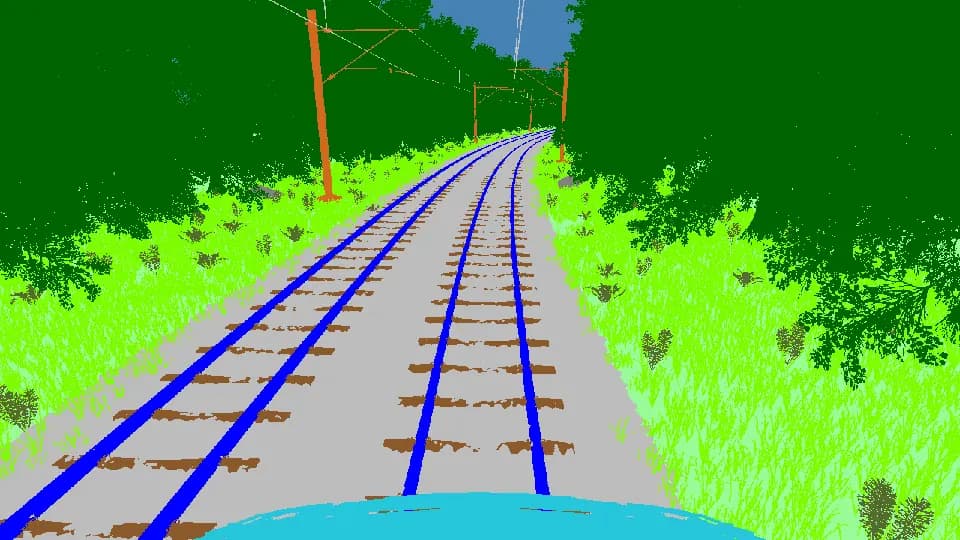
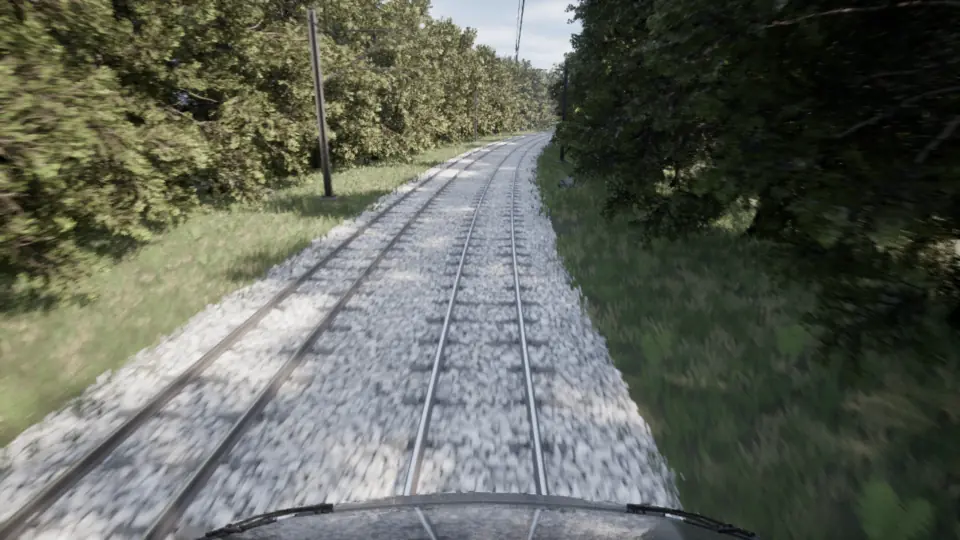
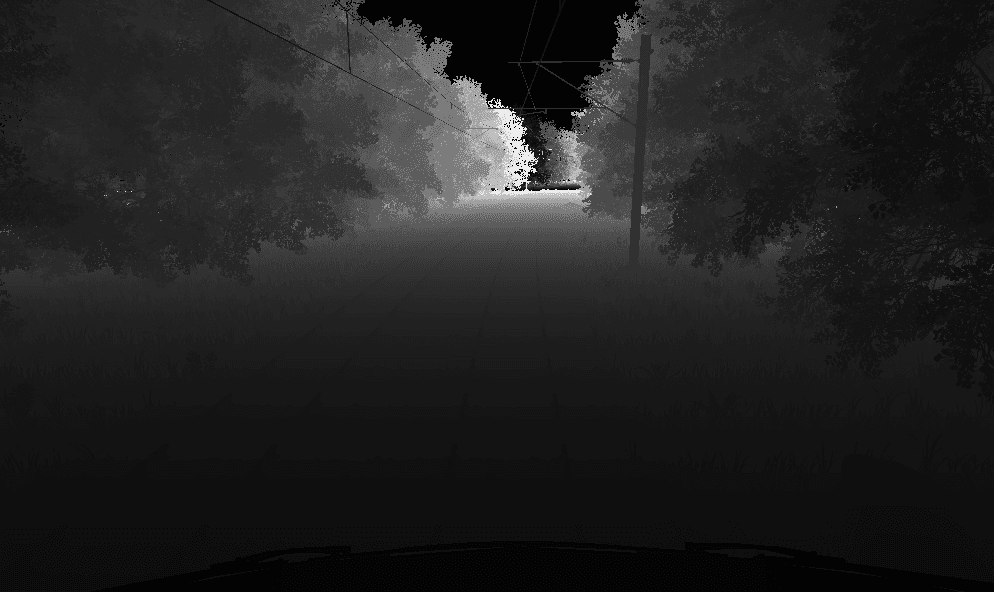
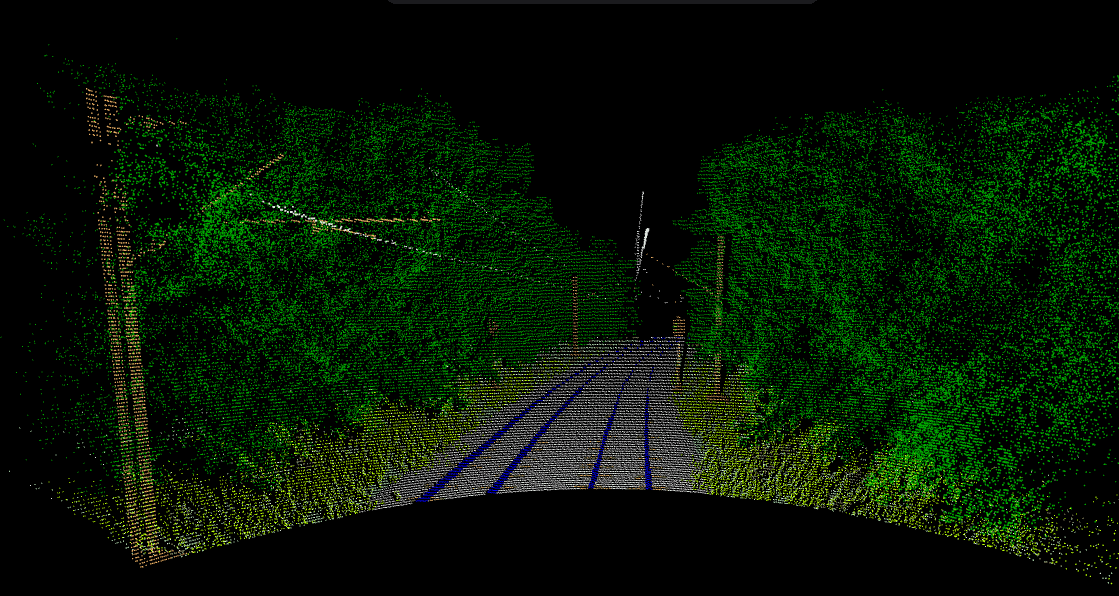
Side-by-side alignment check
RGB and LiDAR overlays from the same render frame
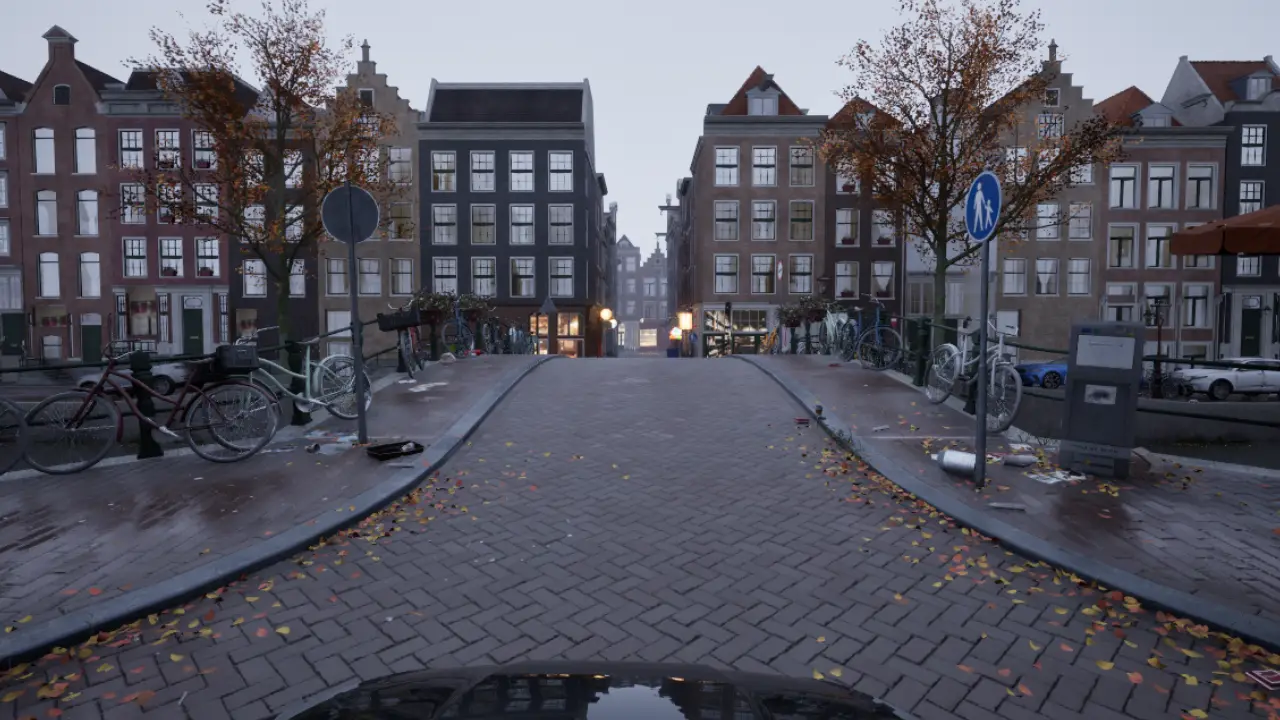
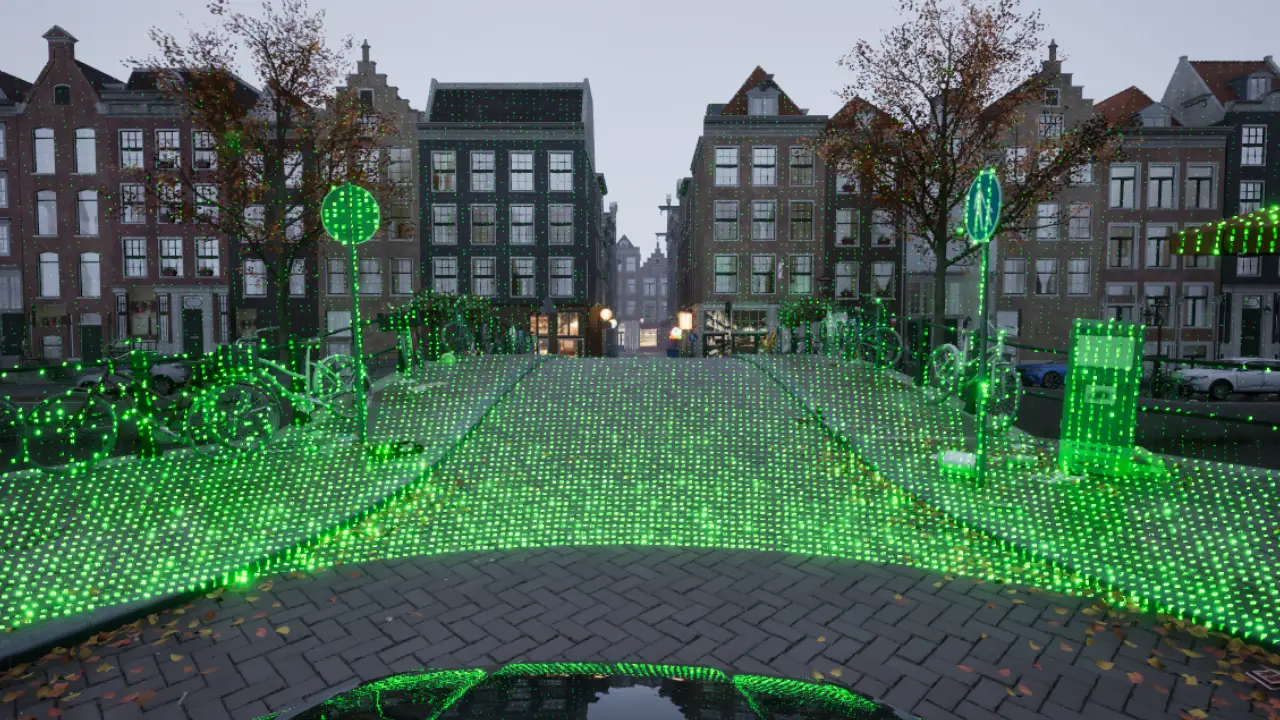
Render-pass availability in modern 3D game engines
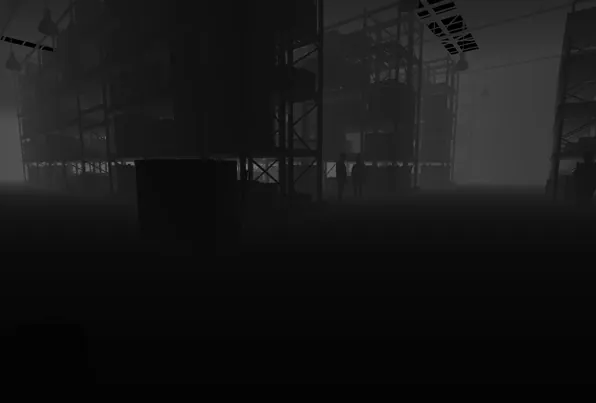
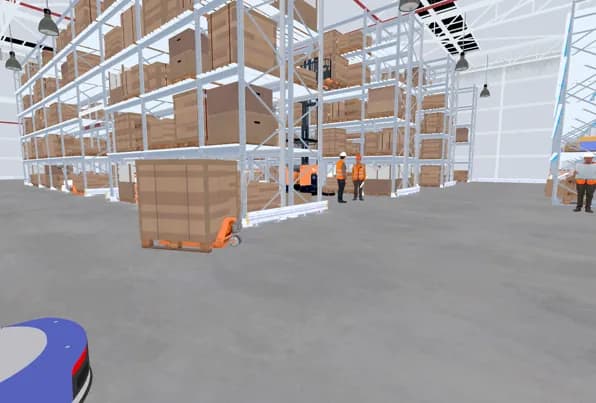
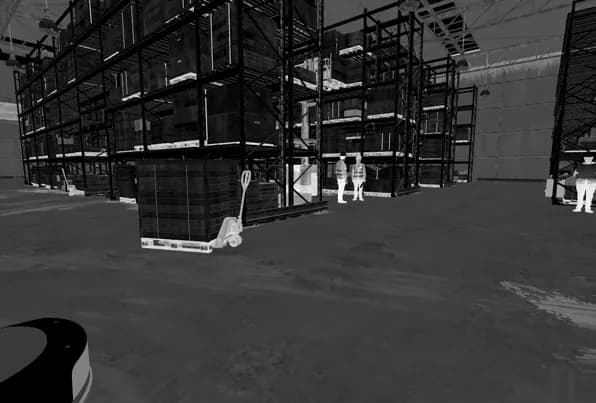
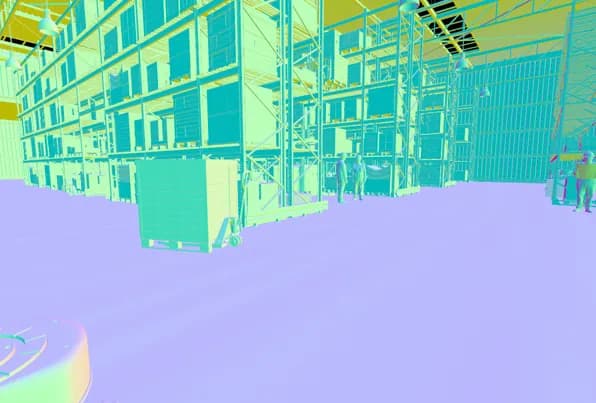
Modern 3D game engines expose render-pass outputs at frame rate. These outputs provide LiDAR inputs without extra scene traversal. In a customizable, physically grounded pipeline, those outputs are computed as part of normal rendering. Well-optimized Unreal scenes and performance-tuned games can sustain ~120 FPS; in that regime, simulated LiDAR can in principle run at the same cadence.
Render-pass outputs used for LiDAR
RGB plus depth and material buffers emitted every frame
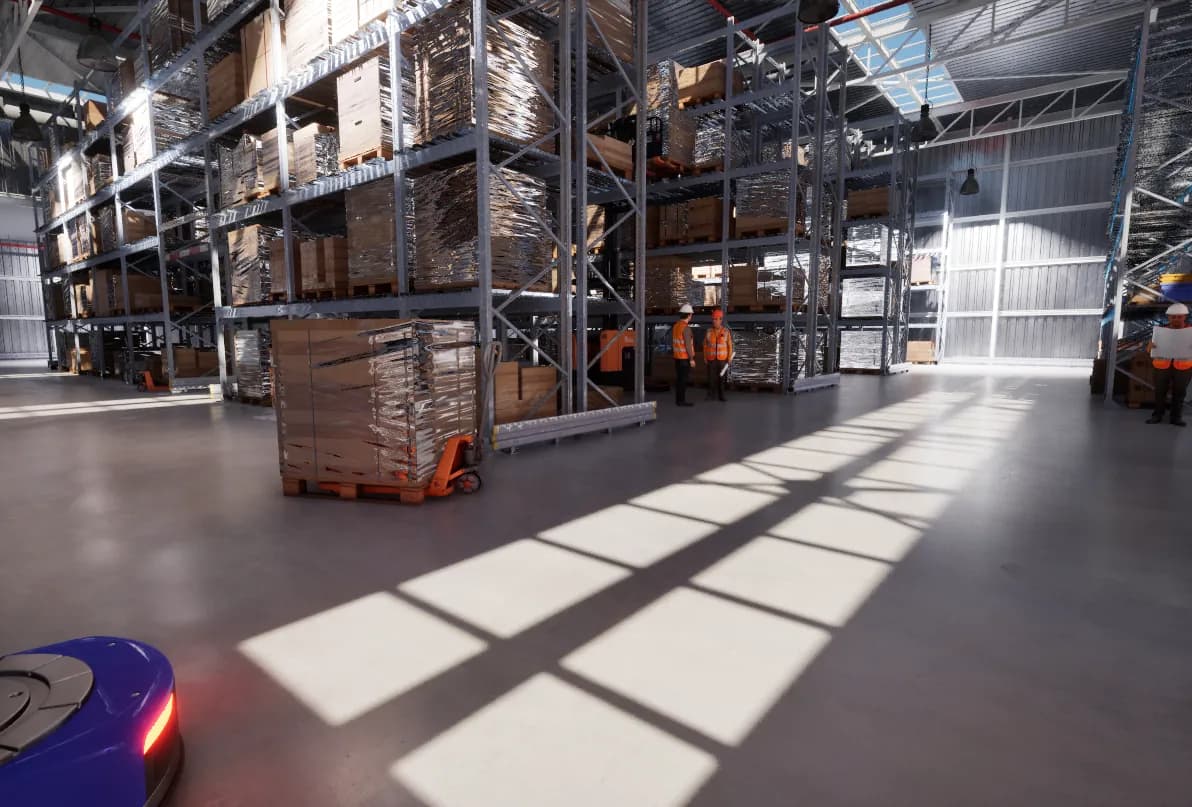
Throughput defines real-time constraints
Simulation timing is not only about dataset export. Real-time headroom is required for closed-loop tasks such as control, inference, and hardware-in-the-loop (HIL) I/O. Accelerated modes are used when the goal is throughput. Throughput is measured as simulated seconds per wall-clock second, and the target is sustained T > 1 whenever the scenario allows it.
If a 3D engine sustains 120 Hz, the render-pass outputs already exist at that cadence. In that regime, the dominant costs are the LiDAR reconstruction compute shader and the GPU-to-CPU readback.
Those costs scale primarily with sensor configuration. Horizontal FOV determines whether capture uses one or three depth views (and their size). Horizontal and vertical channel counts set the point count, which sets compute thread count and readback length. Other overheads are approximately constant; integrating LiDAR as a render-pipeline stage adds a small fixed pass, whereas an asynchronous path must keep resources alive longer and often introduces extra copies.
Development and profiling use a mid-range desktop baseline (RTX 3060-class GPU with 8 GB, mainstream CPU, 16 GB RAM), and we treat 50-70 FPS as a conservative operating point. Higher-end workstations push the same pipeline well beyond that range. Throughput scales directly with available GPU headroom.
Sustained throughput above 1x requires:
- Fixed timestep for determinism
- Sensors that do not stall the game thread
- Readback staged so the GPU is never forced to wait on the CPU
- Output written asynchronously while the simulation advances
If any sensor blocks the game thread, throughput collapses.
In practice, the export client writes artifacts (including the public Hugging Face previews) through a background worker queue, so disk I/O can lag without throttling the simulation loop. On the same mid-range development desktop, this decoupling keeps the simulation loop stable.
Why CPU collision-raycast LiDAR does not scale
CPU collision-raycast LiDAR (Unreal collision/physics raycasts) is a reasonable prototype, but it is structurally mismatched to dataset-scale workloads.
1) Scaling characteristics
Cost grows with rays, frames, and scene complexity. The work runs on CPU threads already dedicated to simulation and physics. Even with strong acceleration structures (BVH or similar), this is cache-unfriendly triangle traversal repeated at high frequency.
2) Representation mismatch (collision vs rendered geometry)
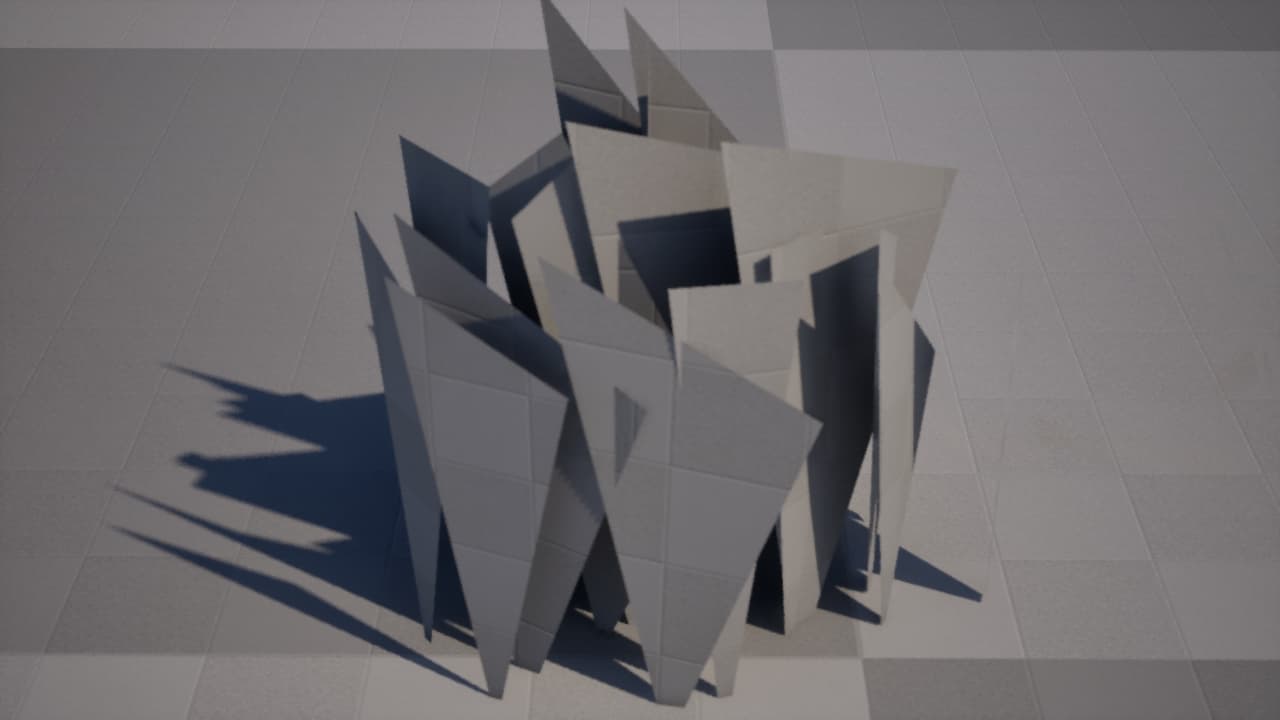
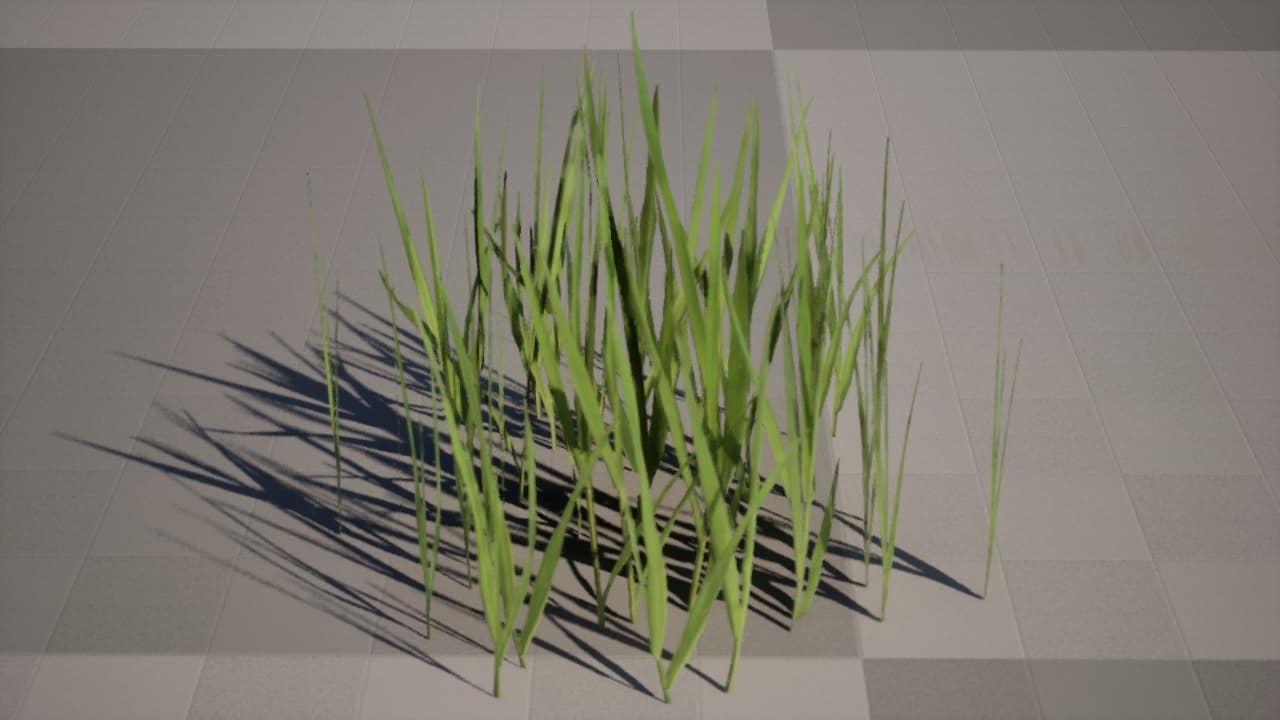
Raycasts operate on collision proxies, not the render mesh. That creates a persistent divergence between what the camera sees and what LiDAR returns, which becomes systematic error at scale.
In production scenes, dense foliage can reach tens of thousands of instances. Adding per-blade or per-mesh collision is usually avoided because it multiplies authoring and physics cost without meaningful interaction value. When interaction is required, teams typically use coarse proxies (spheres/capsules) or disable collision entirely. As a result, collision geometry diverges from the rendered surface by design, not by mistake.
Collision can track the underlying geometry, but it cannot see alpha-masked cards or render-time deformation, so the rendered surface still diverges.
Render-truth surface vs collision proxy
Same asset; drag to compare the rendered surface against the physics proxy
3) GPU-only geometry effects (vertex displacement and tessellation)
Vertex displacement is a material-driven per-vertex deformation applied in the vertex shader at render time. Tessellation subdivides and refines geometry on the GPU after CPU collision has already been resolved. CPU collision raycasts cannot observe these GPU-only deformations, while a depth-based pipeline captures them by sampling the rendered surface.
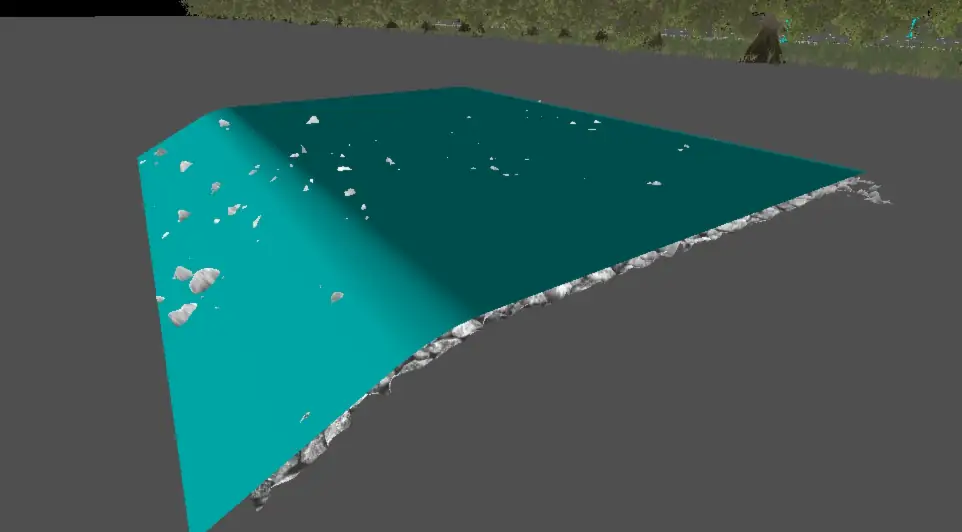
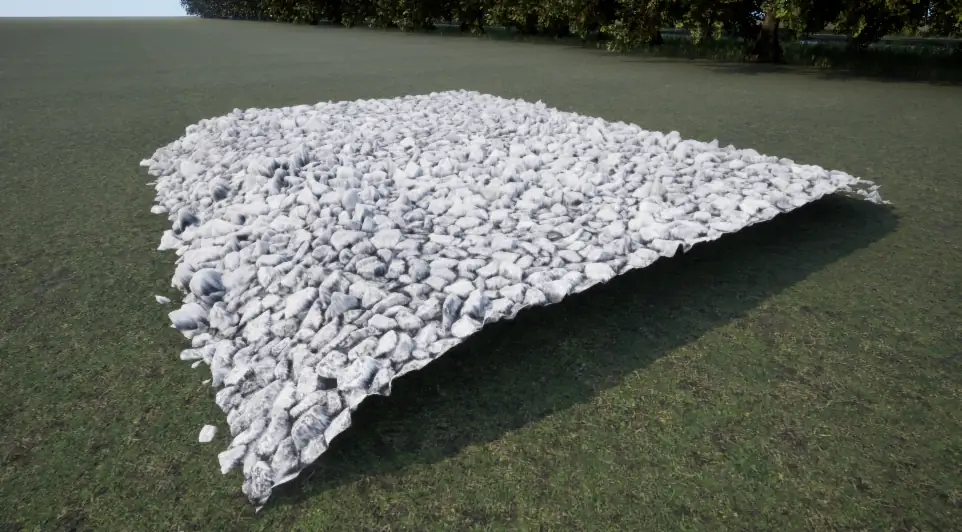
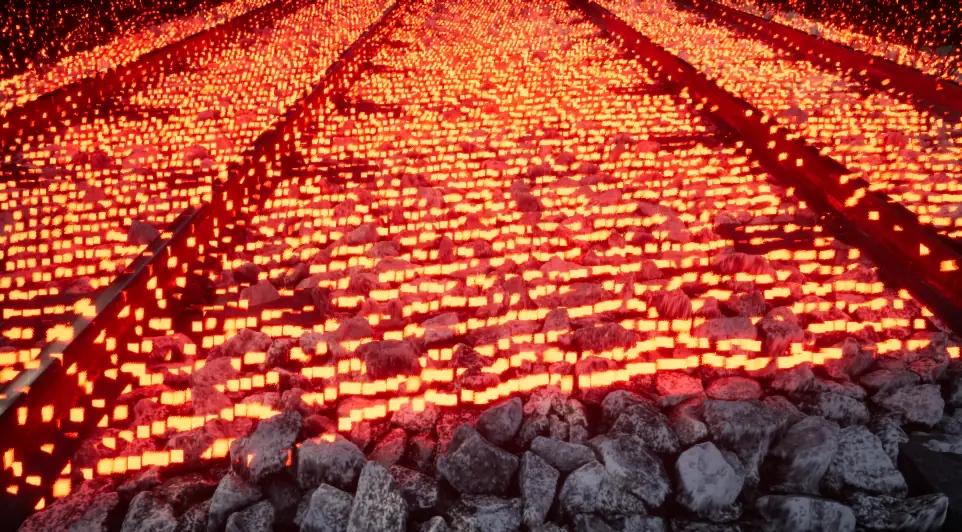
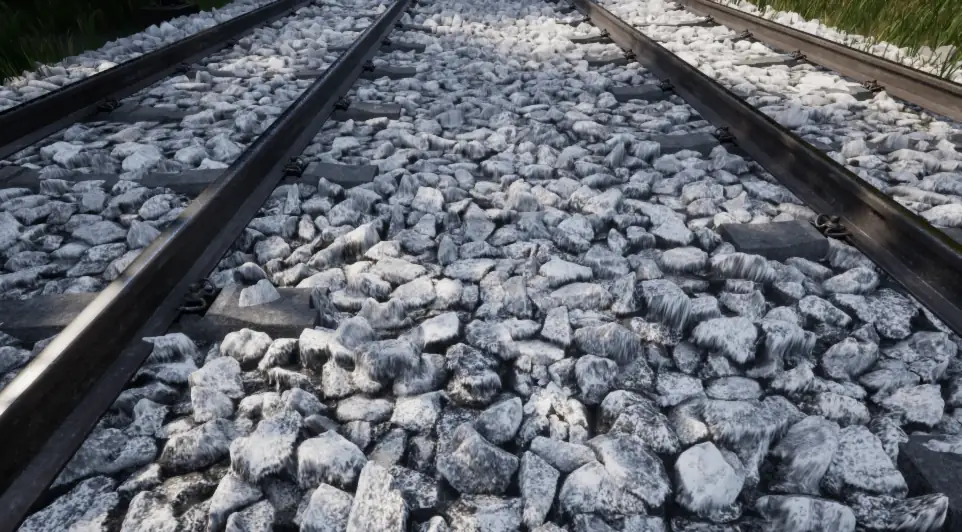
Rail ballast is a representative case: fine surface relief is authored for rendering using displacement maps and tessellation, while collision is simplified to a coarse visibility proxy. The visual surface deforms at sub-triangle scale, so render-truth depth and LiDAR follow the displaced geometry while collision stays static.
Ballast case study: render-time displacement vs collision proxy
The first panel compares the displaced render surface to its collision proxy; the second shows LiDAR alignment on RGB from the same scene.
Render-time displacement: ballast render vs proxy
Depth/LiDAR follow the displaced render surface; collision stays simplified
To show the sensor-level consequence (not just the proxy mismatch), the next sequence compares RGB, depth, and LiDAR on the same wind-deformed render surface.
Foliage case study: render-truth LiDAR under GPU-driven deformation
GPU-driven deformation (vertex displacement, tessellation, displacement maps) is applied at render time and is not represented by collision proxies. These panels isolate foliage where wind deformation displaces the render mesh. Depth and LiDAR are derived from the rendered surface, preserving alignment under deformation; collision proxies remain static and are not shown.
GPU-deformed foliage: render-truth sensor alignment
RGB, depth, and LiDAR remain co-registered on the deformed surface
4) Render-only phenomena (thin geometry and particulate media)
Thin foliage and alpha-masked surfaces are often rendered as fine geometry while their collision is simplified or omitted. Collision rays intersect the proxy, not the rendered micro-structure, producing biased returns. The same mismatch applies to particulate media (rain, spray, smoke) that are rendered but not represented by collision primitives. Taken together, collision-based LiDAR under-represents rendered reality and introduces systematic bias in dataset labels (stencil IDs).
5) Material and texture data (surface properties)
The render pipeline exposes material textures that encode surface properties such as normals, roughness, and displacement. These signals are not available in the physics scene, yet they are critical if LiDAR intensity or scattering is modeled beyond pure geometry. A GPU path can condition the LiDAR response on these textures, whereas collision-only tracing cannot access them.
Render-pass inputs for shader-based LiDAR
Depth and material buffers from the same frame
6) CPU reconstruction from render buffers (hybrid path)
A CPU pipeline can reconstruct LiDAR from depth and material buffers (e.g., depth, normals, roughness). This avoids collision raycasts and improves render-truth fidelity. It is also attractive for rapid, low-complexity implementations because reconstruction can run on the CPU (for example in Python/NumPy or C++) without authoring parallel HLSL/compute or CUDA kernels. However, it still requires GPU rendering plus readback of large, uncompressed render textures each frame, often across multiple passes. At dataset scale, the GPU-to-CPU transfer and synchronization dominate, and the CPU becomes the limiting stage for LiDAR beam reconstruction and labeling. Pure math operations (such as adding noise) are comparatively cheap; labeling requires extra texture lookups. The scalable alternative is to keep reconstruction and filtering on the GPU and read back only the compact point payload. This approach can be useful for offline analysis or low-rate preview generation, but it does not preserve real-time throughput.
7) Transfer overhead in hybrid pipelines
Attempting to "speed it up with GPU" often makes the data path worse. Hybrid CPU-GPU-CPU pipelines add transfer and synchronization overhead that erodes throughput and increases jitter.
Observed failure modes
- Throughput collapse as ray counts or scene detail increase
- Render starvation when CPU work delays the render thread
- Alignment drift from collision proxy divergence
- Operational overhead from manual collision authoring and maintenance
CPU vs GPU resource usage (per frame)
Why CPU collision raycasts saturate the game/physics threads and stall the render loop
Collision LiDAR vs shader-based LiDAR
What changes when LiDAR stays on the GPU
| Criteria | Collision LiDAR(CPU collision raycasts) | Shader-based LiDAR(GPU) |
|---|---|---|
| Real-time at scale | No | Yes |
| Matches what the camera sees | Approximate | Yes |
| Multi-sensor alignment | Fragile | By design |
| Asset setup & maintenance | High | Low |
| Labels (stencil IDs) | Manual | Built-in |
| Best suited | Prototypes | Production datasets |
Inside the shader-based LiDAR pipeline
This section describes the GPU-resident sensor pipeline as a fixed data contract between the engine and the client. The goal is deterministic, aligned LiDAR at dataset scale with bounded synchronization. The data path runs from render-pass outputs to a shared-memory payload, then into the client recorder on a fixed tick.
1) Render-pass capture and sensor-aligned inputs
Depth is captured from the same frame as RGB and labels (stencil IDs), using render-pass outputs that already exist at frame rate. If a single view cannot cover the horizontal field of view, capture is split into three views so the full span is covered. At 360°, this becomes three 120° views, still from the same frame as RGB and labels (stencil IDs).
The reconstruction stage consumes a packed float texture where forward depth is preserved at full precision and label (stencil ID) and intensity channels are co-packed for later decoding.
2) Scan lookup and GPU reconstruction
The scan lookup is generated once per sensor configuration from angle tables and intrinsics.
Each beam maps to a single UV, so per-frame trig is avoided and the compute shader performs direct texture fetches.
For each horizontal and vertical index, the ray is projected with Xp = tan(theta) * fx + cx and
Yp = tan(phi) * fy / cos(theta), then normalized by render target size to store u and v.
Out-of-range channels are zeroed and U and V are packed into a single float texture.

3) Payload contract and header semantics
Reconstruction runs one thread per beam, uses point sampling for UV and label (stencil ID) lookups, and uses bilinear sampling for depth when labels (stencil IDs) are stable. The payload is a float32 Nx4 array where XYZ are left-handed centimeters and W packs stencil in the upper 8 bits and intensity in the lower 16 bits. Here, the term label refers to the stencil ID from the render pass.
Each frame is preceded by a compact 128-byte header with:
- Magic and version identifiers
- Frame info including point count and payload sim step
- Sensor pose in left-handed centimeters and quaternions in xyzw
- Intrinsics with FOV, channel counts, range, and noise
- A CRC over intrinsics for integrity checks
This contract is stable across clients and enables deterministic parsing and validation.
4) Shared-memory staging, tick sync, and client decoding
The engine publishes each frame into a shared memory pool with per-actor ring slots, while a tick sync block coordinates pacing and exposes the simulation step.
On the client side, the tick manager waits for completion, then the memory pool reader fetches the newest slot with read_next_simple.
Render-based sensors use a frame offset of 1, so payload_simstep can differ from the core tick and is used for stopping and alignment.
Parsed frames are converted to right-handed meters and queued to the background recorder, which writes npz frames and preview point clouds.
for each sim tick:
  wait_tick_complete()
  for each lidar actor:
    raw = mem_pool.read_next_simple(actor_id)
    frame = parse_lidar_payload(raw)
    points = frame.points_sensor
    enqueue_recording(actor_id, frame, points, frame.payload_simstep)
Shader-based LiDAR pipeline
GPU capture, compute, staged readback
Why it stays fast
Throughput is governed by parallelism, memory locality, and synchronization. The pipeline is structured to maximize GPU occupancy while minimizing CPU-GPU coupling.
- Parallel structure: each beam is independent, so the compute shader scales with channel count.
- Texture locality: depth is already in texture memory; sampling uses GPU caches and hardware interpolation.
- Precomputation: UVs are generated once per sensor configuration, removing per-frame trigonometry.
- Decoupled readback: a ring buffer isolates GPU completion from the game thread; only finished slots are consumed.
- Asynchronous I/O: recording runs off the main loop to preserve deterministic tick pacing.
These mechanisms keep the simulator in the regime where dataset export remains bounded by GPU throughput rather than CPU stalls.
Data contract and client pipeline
The LiDAR payload is defined as a stable binary contract for real-time transfer. The header provides a compact frame summary, sensor pose, LiDAR intrinsics, a layout identifier, and a CRC for integrity. The payload layout is float4 with XYZ in left-handed centimeters and W packing stencil and intensity. Noise is seeded by the sim step so scans are repeatable across runs.
Public previews include a README with schema notes for manifest.json and point clouds.
Preview artifacts are generated by the same client pipeline that consumes the shared-memory payloads.
Typical outputs per LiDAR sensor:
lidar/<sensor_name>/
  intrinsics.json
  frame_schema.json
  frames_index.parquet
  frames/
    00000000.npz
    ...
preview/
  *.pclbin or *.pclz
manifest.json
README.md
labels/labels.json
Inspection artifacts
Previews are available in the Data Hub and the Hugging Face Space viewer.
Preview repos provide raw files and README schema notes for manifest.json, point clouds, and RGB/label (stencil ID) pairs.
These previews are for inspection; full sequences and commercial access are available on request via huggingface.co/sirlab-ai.
Validation protocol
Minimum checks:
- Alignment: LiDAR projected onto RGB/labels (stencil IDs) is stable at edges.
- Determinism: repeat runs → matching point counts and poses across frames.
- Throughput: report simulated seconds per wall‑clock second.
Conclusion
Shader-based LiDAR is a GPU-resident reconstruction pipeline. It uses same-frame depth and label (stencil ID) images to produce real-time simulated point clouds aligned with RGB. Deterministic scan patterns and staged readback avoid CPU stalls, preserving throughput-stable headroom for closed-loop workloads and production dataset generation.
SiRLab integrates capture, reconstruction, and client export end-to-end to deliver simulation-grade LiDAR streams and datasets at scale. Commercial licensing and build partnerships are available for production deployments.
Ready for render-derived LiDAR in your stack?
Get aligned LiDAR, RGB, and labels without blowing your frame budget. We’ll show you the pipeline and ship a pilot sequence you can validate.